

If your BackWPup version is minor or equal to 3.7.0, the info here reported cannot be applied. Please instead refer to BackWPup License Update .
Si, en revanche, votre version est supérieure à 3.7.0, vous pouvez suivre les instructions indiquées ci-dessous.
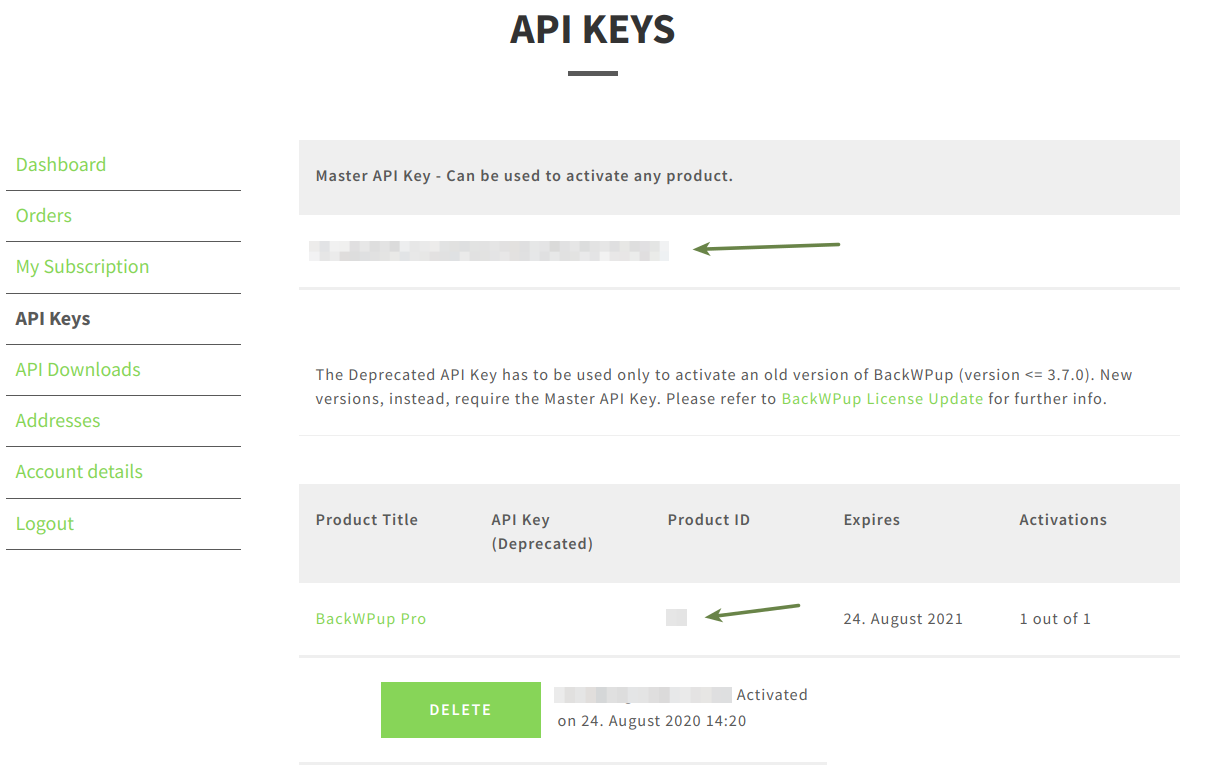
- Veuillez vous connecter à votrecompteBackWPup . Vous trouverez votre licence sur la page « Mon compte », dans la section Tableau de bord ouAPI . Copiez la licence (API principale) dans le presse-papiers.
- Log in to WordPress and go to BackWPup Pro → Settings and select the License tab.
- Collez la clé de licence depuis le presse-papiers dans le champ Clé API .
- Revenez en arrière et copiez le ID du produit et collez-le dans le champ ID du produit.
- Enregistrez vos modifications.
In your customer account, go to the section Dashboard or API Keys or otherwise have a look at BackWPup Pro → Settings via the backend in the License tab to see if your license was activated successfully.
Je reçois le message d'erreur « Nombre maximal d'activations dépassé ».
You can only activate BackWPup on as many WordPress Installations as you have licences available. If you get this error message, you already activated all licences you bought. You need to delete an activation via your www-test.backwpup.com account or via your WordPress backend before you can activate again.
Troubleshooting: If you have troubles activating or deleting your licence via your WordPress backend, please check your account dashboard at www-test.backwpup.com to ensure the licence is not active in the shop on the same domain.
If you see the licence activated, delete the activation via your my account and try to activate again via your WordPress backend.